Appearance
Insights — Compliance
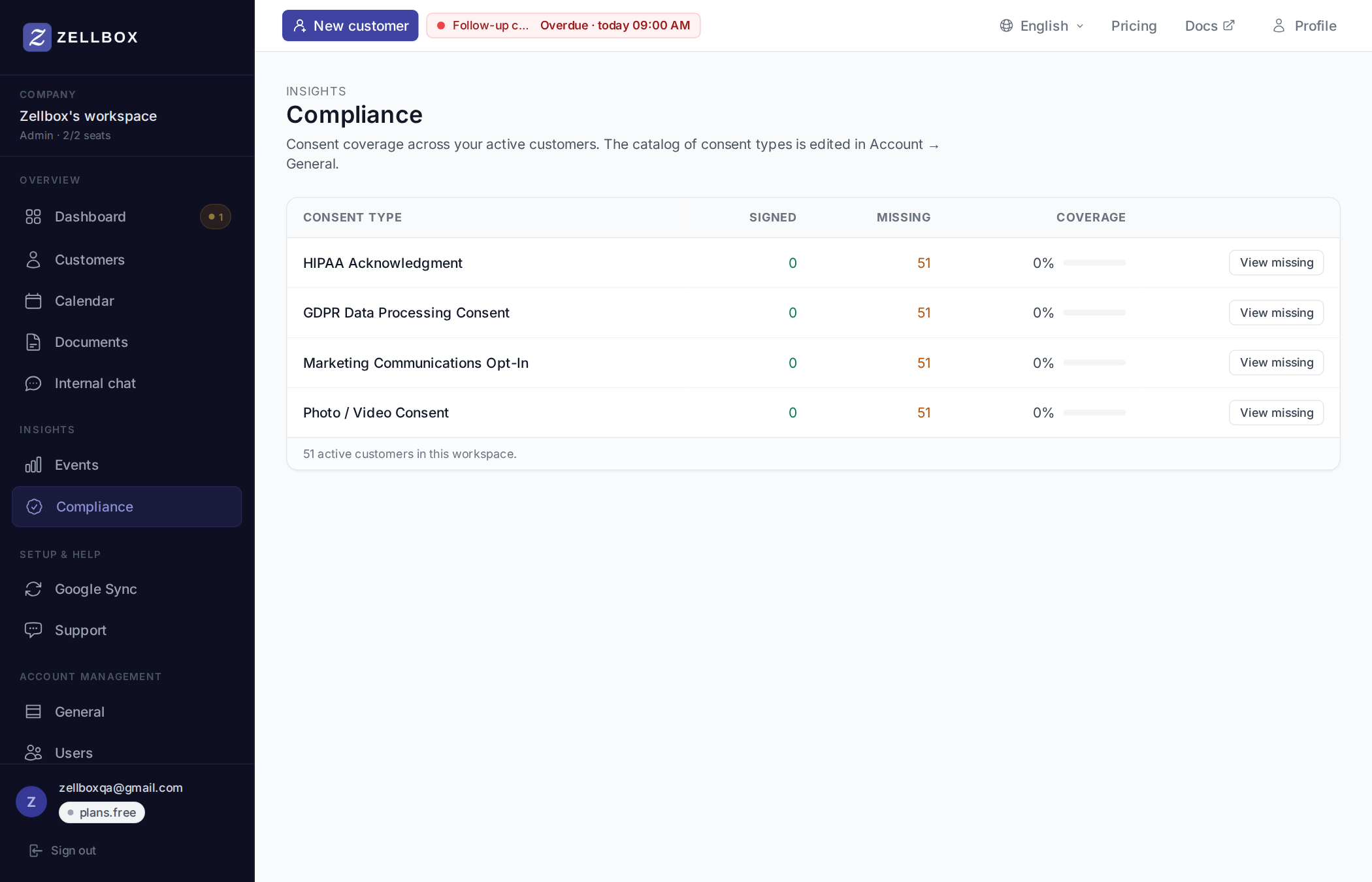
Compliance is the workspace-wide roll-up of signed consents: one row per configured consent type, with how many active customers have signed it, how many haven't, and a coverage bar. Admin-only.
Reading the table
Each row is a consent type from your workspace's catalog:
- Signed — active customers with an in-effect signed consent of this type.
- Missing — active customers without one. Withdrawn consents count as missing; re-signing after a withdrawal moves the customer back to Signed.
- Coverage —
Signed / (Signed + Missing)as a percentage.
Archived customers don't count in either column — compliance is about live customers, not historical records.
Drilling into the missing list
Click View missing on any row. A popup opens with the active customers who don't have an in-effect signed consent of that type:
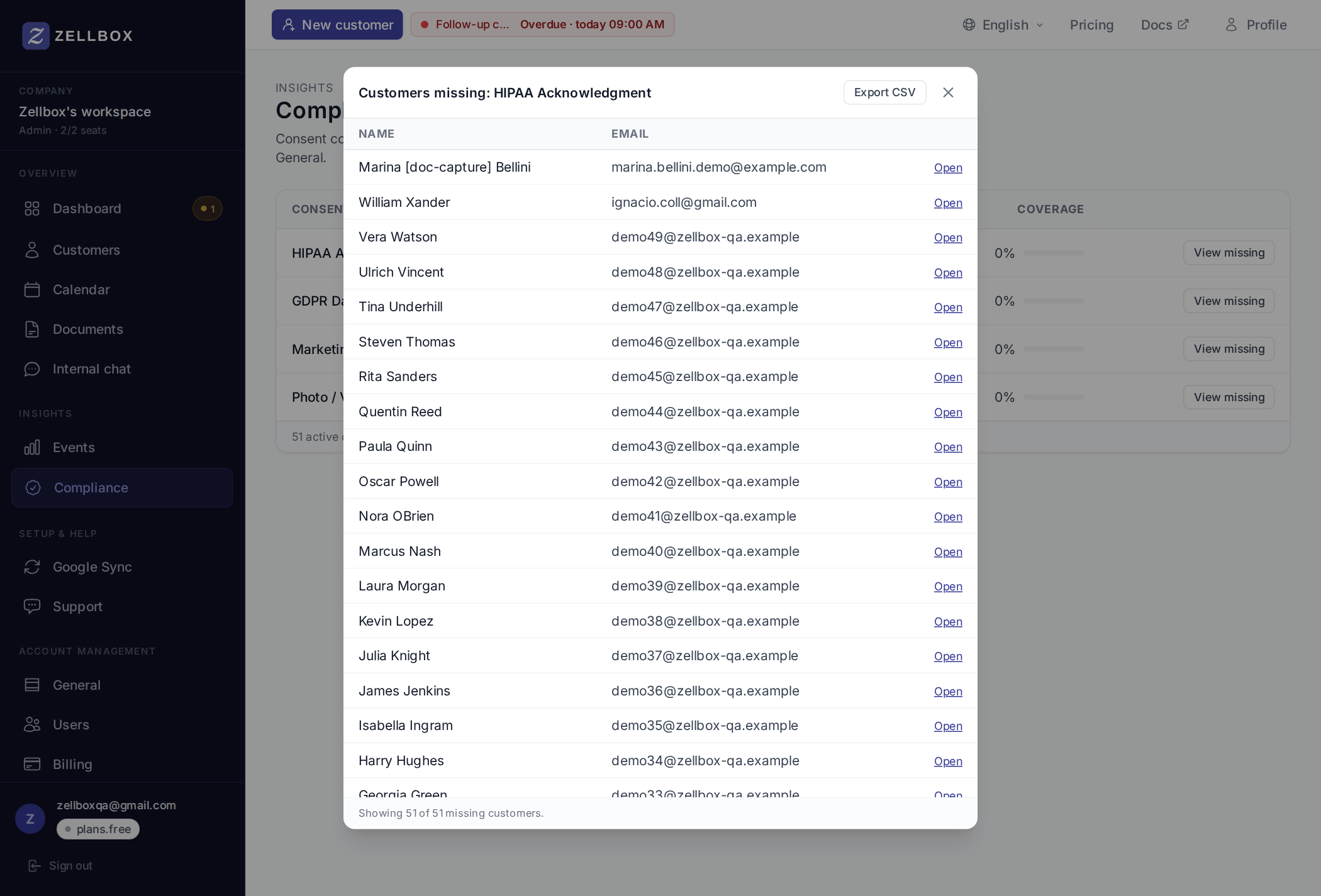
- Open on each row jumps to the customer's record, opening the detail modal so you can record the consent right away (Consents tab → + Record consent).
- Export CSV at the top right downloads the visible list as a CSV (
missing-{type}.csv) — handy when you're handing the list off to whoever chases consents.
The popup is capped at 200 customers per request. On larger workspaces, export the CSV and split into batches.
Empty catalog
If your workspace hasn't configured any consent types yet, the page shows an empty-state pointing back to Account → General. Add your types there first; coverage shows up as soon as the catalog is non-empty.