Shared inbox
Shared inbox features
One inbox where every WhatsApp conversation, every Gmail thread, and every website-widget lead lives next to the same customer. Replace the pattern where one team member answers a WhatsApp, another forwards an email, and nobody knows what was said — with a single threaded surface the whole team can see.

All shared inbox features
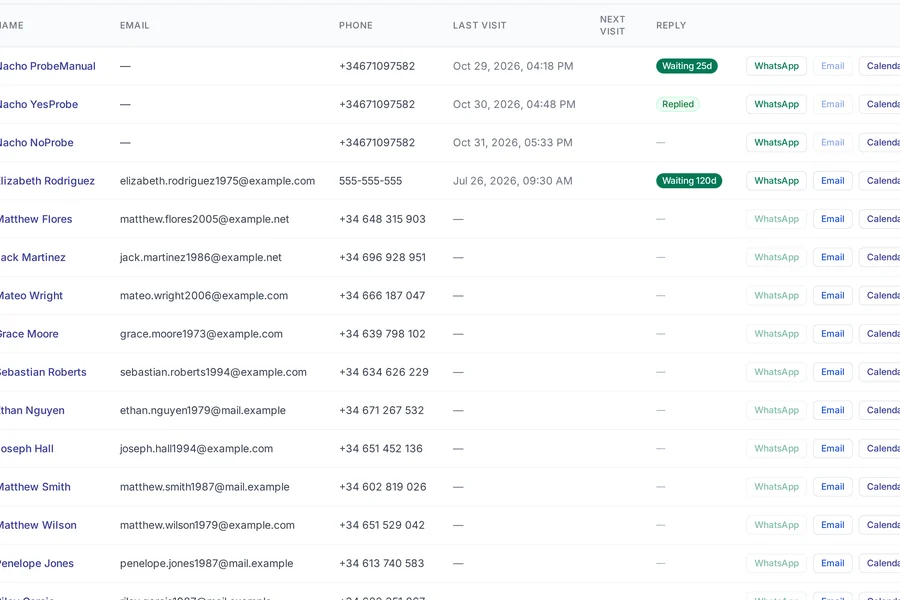
- WhatsApp + Gmail unified per customer
- Every channel the customer has ever contacted you on, threaded together on one timeline.
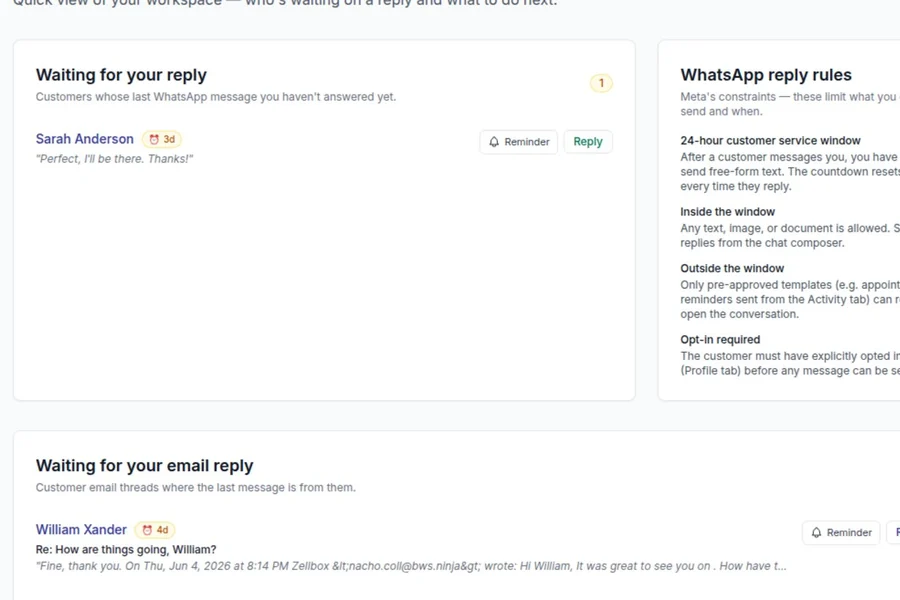
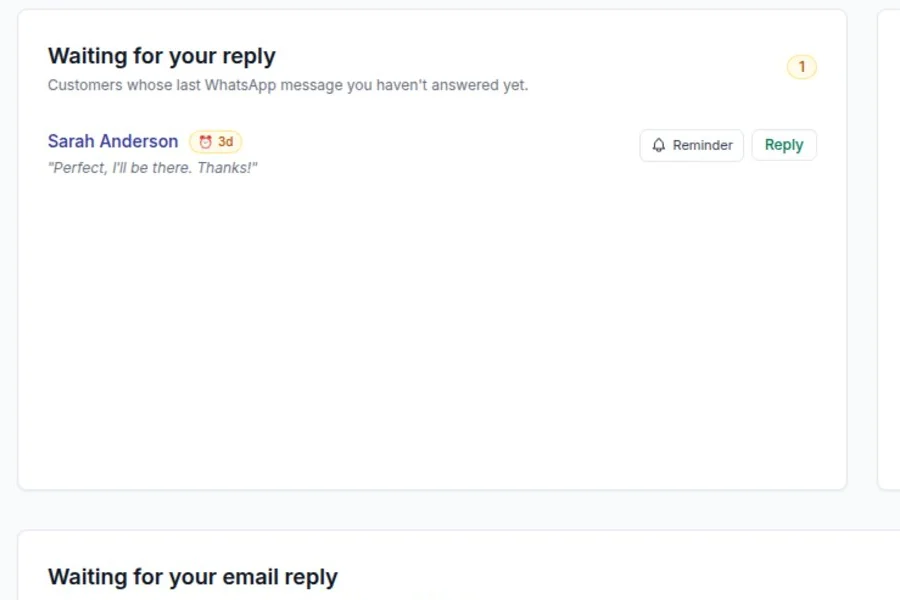
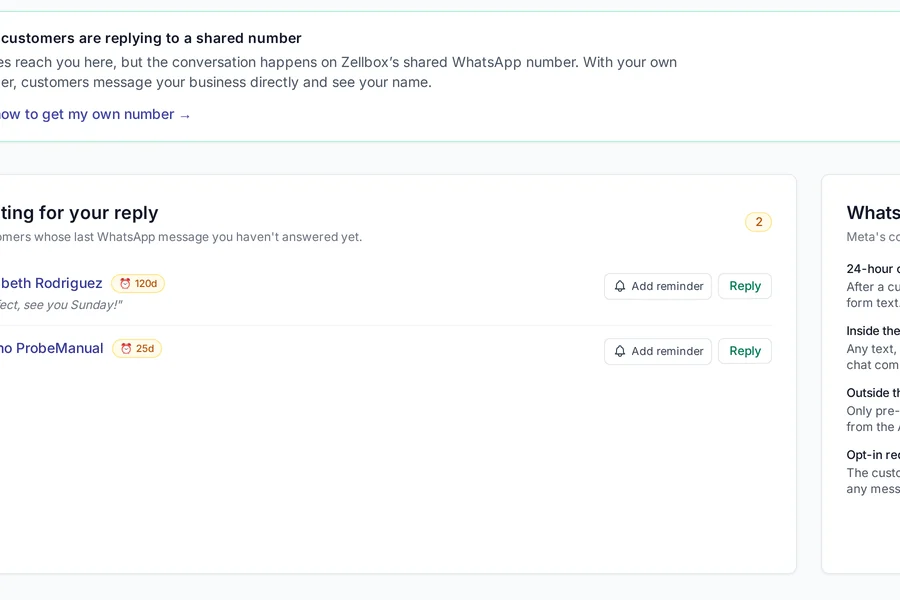
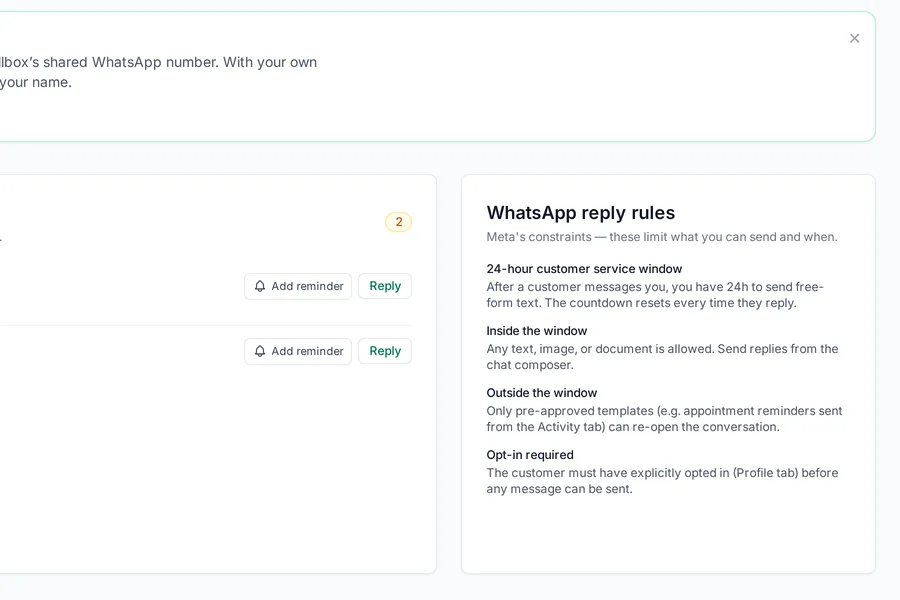
- Pending-replies widget
- Dashboard tile showing conversations where the customer messaged last and no one has replied — a glance at the morning dashboard tells your team which threads to pick up first.
- Per-customer chat view
- Full message history by customer — search, filter, and jump by date, so a new staff member answers today's question with the context the previous call already established.
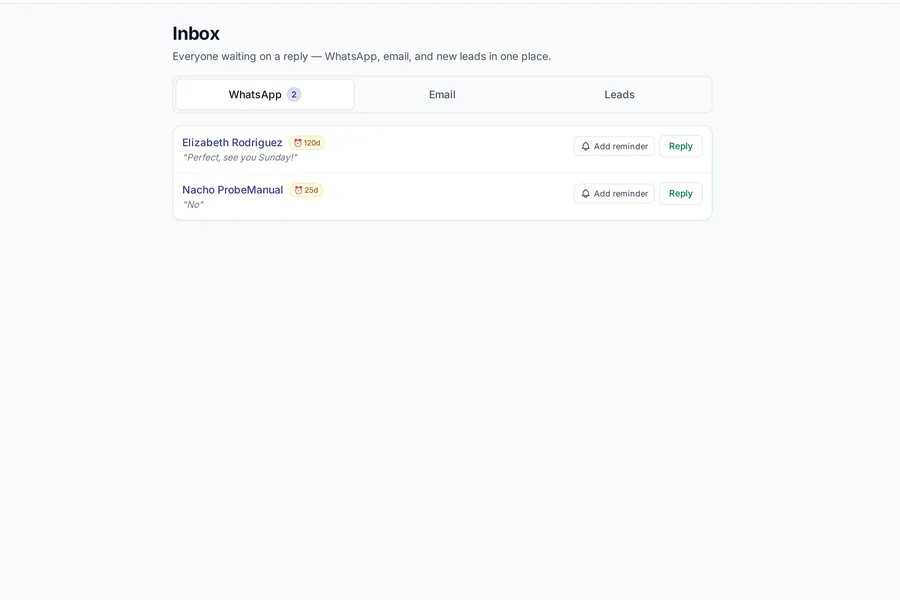
- Cross-channel inbox
- Unread items from every channel in one list. Mark-as-read syncs across the team in real time.
- Leads inbox for unknown senders
- WhatsApp messages from numbers that aren't customers yet land in a dedicated queue with "Create customer" one-click.
- Gmail send from operator mailbox
- Operators reply from their own Gmail — customer sees a human reply, not noreply@.
- Inbound context linking
- When a customer's reply relates to a specific appointment, the message links to that event — your team knows "Can I move it to Friday?" means the Thursday 3pm, not a guessing game.
- Related-event surfacing
- Every inbound message shows the customer's upcoming + recent events in a side panel — the operator doesn't tab out to the calendar to answer "when's my next visit?"
- Lead-to-customer history migration
- Converting a lead to a customer brings every past message into the new customer record — no re-reading the thread, no "what did we tell them last week?" guessing.
- Team mentions in notes
- Internal @-mentions on customer threads for the handoffs that don't belong in a customer-visible reply.
- Full-text search across channels
- Search every conversation on any channel by keyword, phone, email, or date range — the "did we actually confirm the Tuesday follow-up?" question answered in 3 seconds instead of scrolling two apps.
Shared inbox free on every Zellbox plan
Every feature on this page ships on the free plan. Pay only when your WhatsApp template volume or customer count passes the plan limit.
Read next
Customers + documents features
Your customer database, the forms they fill out, the documents they sign, and the consent trail that keeps you compliant — all on the same record. Zellbox was built because the pattern where customer data lives in one system, intake forms in a second, and signed consents in a shared Drive folder is how the audit fails.
Customers & documents features